OIDC keycloak Setup
Oauth can be setup along with nginx ingress to authenticate users via Openid connection. An additional oauth2-proxy needs to be setup as a helper application for openid connect. keycloak is used as openid connect provider to authenticate using oidc.
Installation of oauth2-proxy
A reverse proxy and static file server that provides authentication using Providers (Google, GitHub, and others) to validate accounts by email, domain or group.
Add oauth2-proxy helm repository
Helm repo udpate
Creation of ca-bundle-cert secrets
Customization values.yaml for keycloak
extraArgs:
  provider: keycloak
  provider-display-name: F6corp
  client-id: kdashboard
  client-secret: 71e498c5-9065-4c95-a073-ae1e717c8f2d-ao098340dw
  login-url: https://sso.logpoint.com.np/auth/realms/f6corp/protocol/openid-connect/auth
  redeem-url: https://sso.logpoint.com.np/auth/realms/f6corp/protocol/openid-connect/token
  validate-url: https://sso.logpoint.com.np/auth/realms/f6corp/protocol/openid-connect/userinfo
  keycloak-group: /dashboardadmins

extraVolumes:
  - name: ca-bundle-cert
    secret:
      secretName: ca-bundle-cert

extraVolumeMounts:
   - mountPath: /etc/ssl/certs/
     name: ca-bundle-cert
Install helm charts
Creation of client in keycloak
Create a openid connect client on keycloak using the redirect url as https://p.logpoint.com.np/oauth2/callback
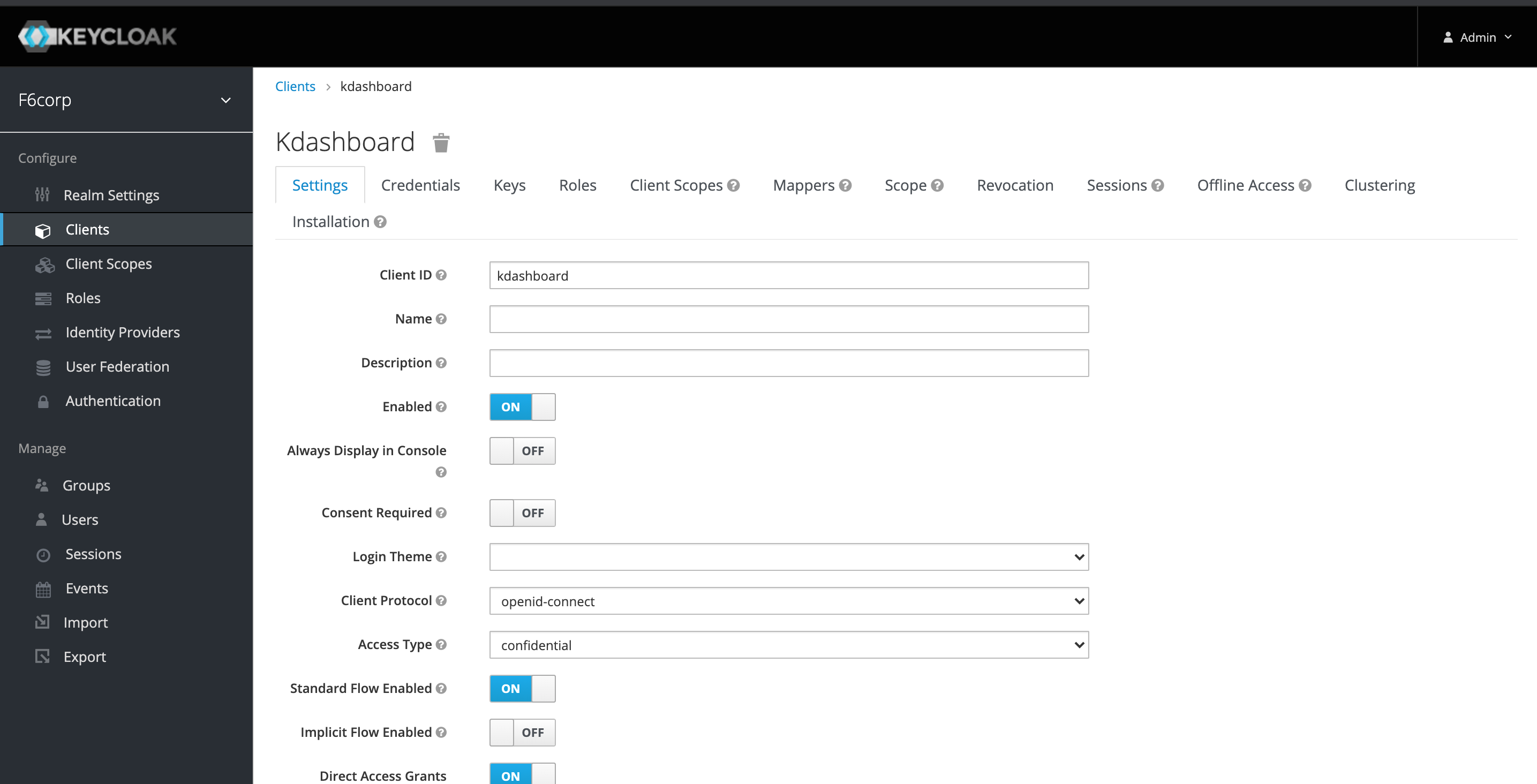
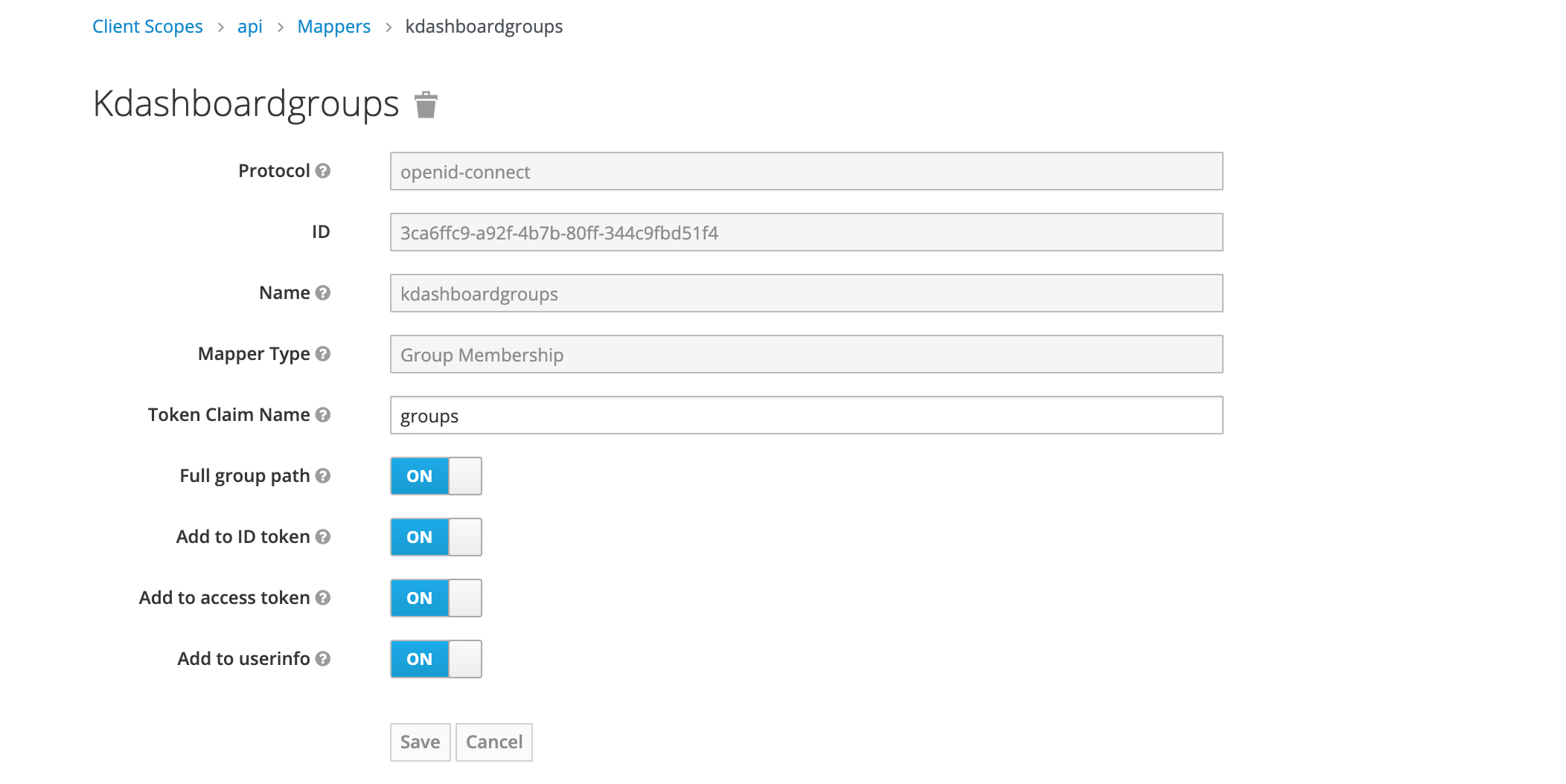
Create a client scope named api and create mapper named groups with type Group Membership
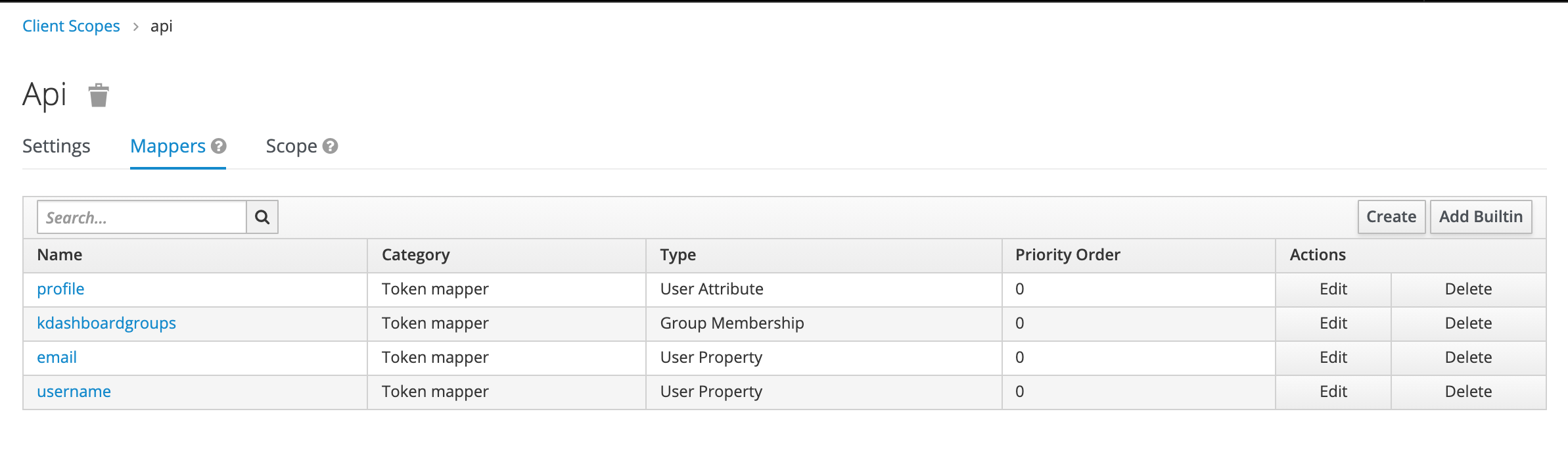
Add email,profile and username mappers to the client scope named api
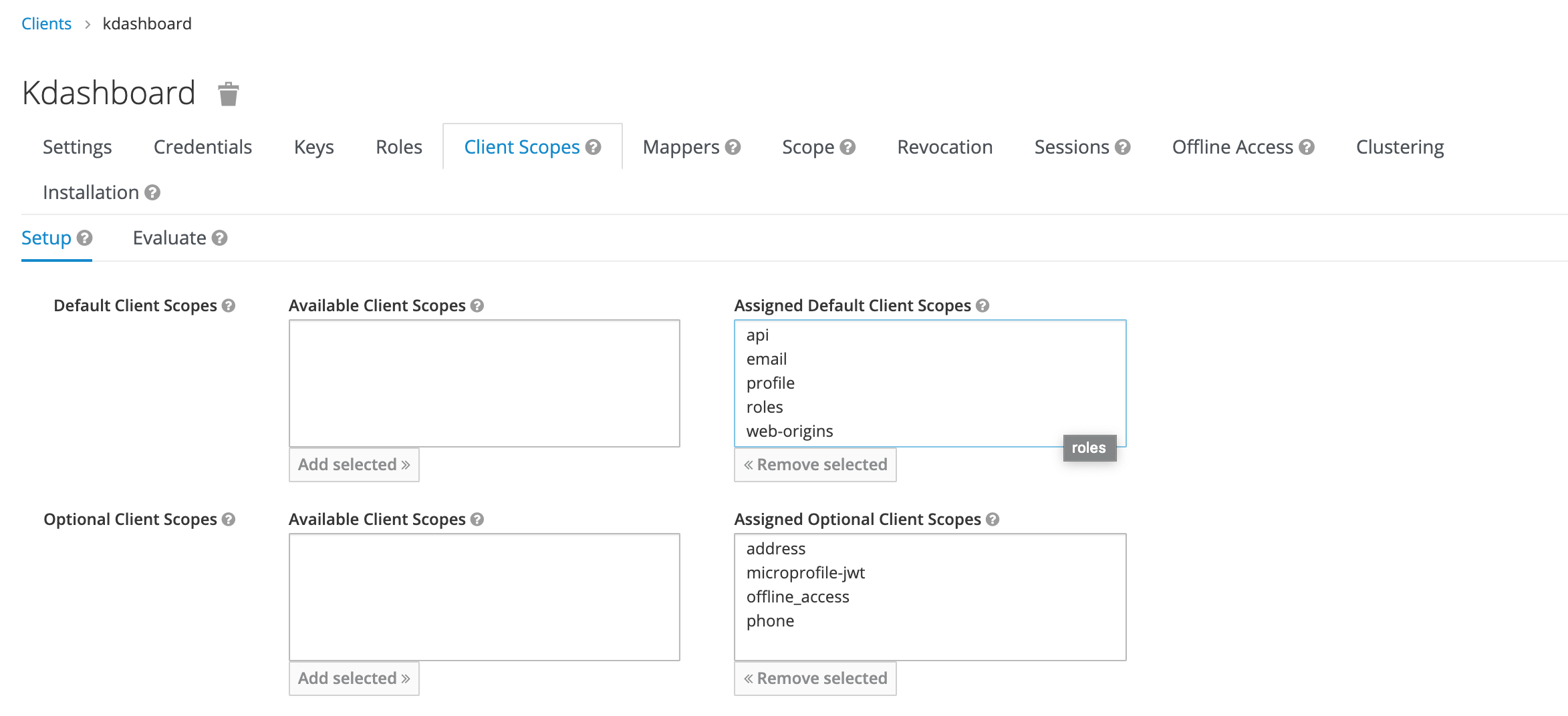
On client scopes on client add the newly created earlier client scope named api
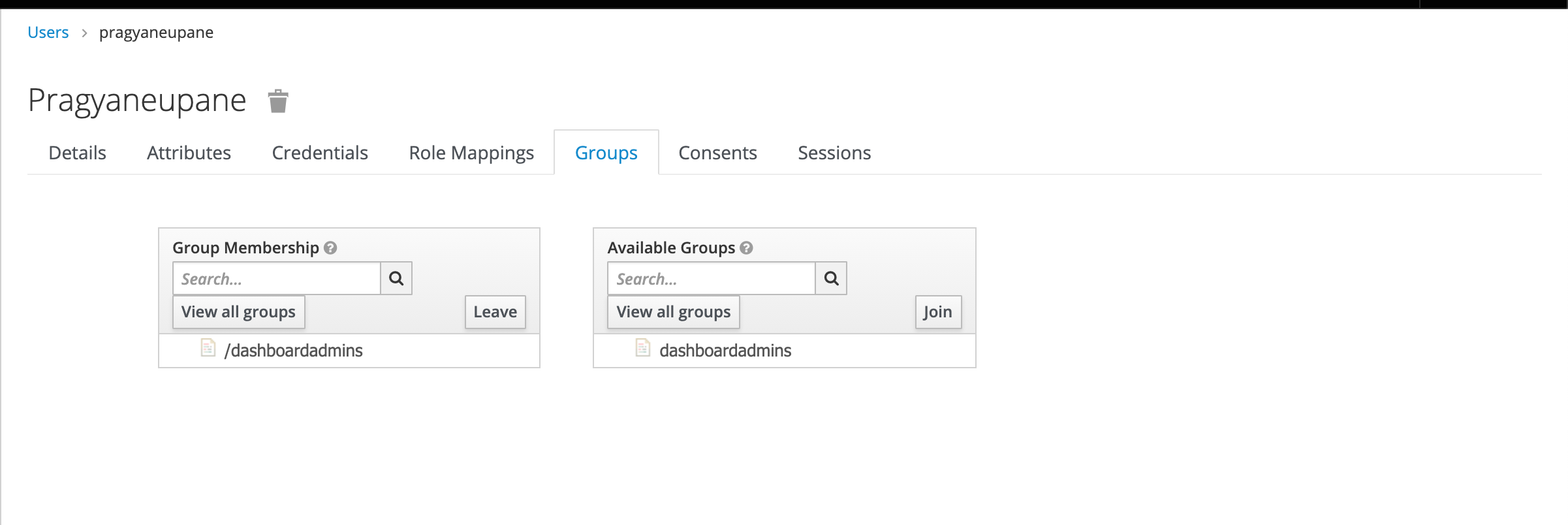
Create a group named dashboardadmins and add users to the same group
Nginx Ingress OIDC Configuration
Nginx ingress OIDC Configuration can be configured as two connected ingresses one leading to the application and another one for the oauth2-proxy. The flow would look something like this
user --> app --> oauth2-proxy --> OIDC Provider
Application Ingress
The annotations redirect the request to the oauth2-proxy Ingress
apiVersion: networking.k8s.io/v1beta1
kind: Ingress
metadata:
  name: httpbin
  annotations:
    kubernetes.io/ingress.class: nginx
    cert-manager.io/cluster-issuer: ca-issuer
    nginx.ingress.kubernetes.io/auth-url: "https://$host/oauth2/auth"
    nginx.ingress.kubernetes.io/auth-signin: "https://$host/oauth2/start?rd=$escaped_request_uri"
spec:
  tls:
  - hosts:
    - p.logpoint.com.np
    secretName: logpoint-ingress
  rules:
  - host: p.logpoint.com.np
    http:
      paths:
      - backend:
          serviceName: httpbin
          servicePort: 8000
        path: /
The oauth2 proxy Ingress
apiVersion: networking.k8s.io/v1
kind: Ingress
metadata:
  name: oauth2-proxy
  annotations:
    kubernetes.io/ingress.class: nginx
    cert-manager.io/cluster-issuer: ca-issuer
spec:
  rules:
  - host: p.logpoint.com.np
    http:
      paths:
      - backend:
          service:
            name: oauth2-proxy
            port:
              number: 80
        path: /oauth2
        pathType: ImplementationSpecific
  tls:
  - hosts:
    - p.logpoint.com.np
    secretName: logpoint-ingress